
Free SEO Extension for Chrome
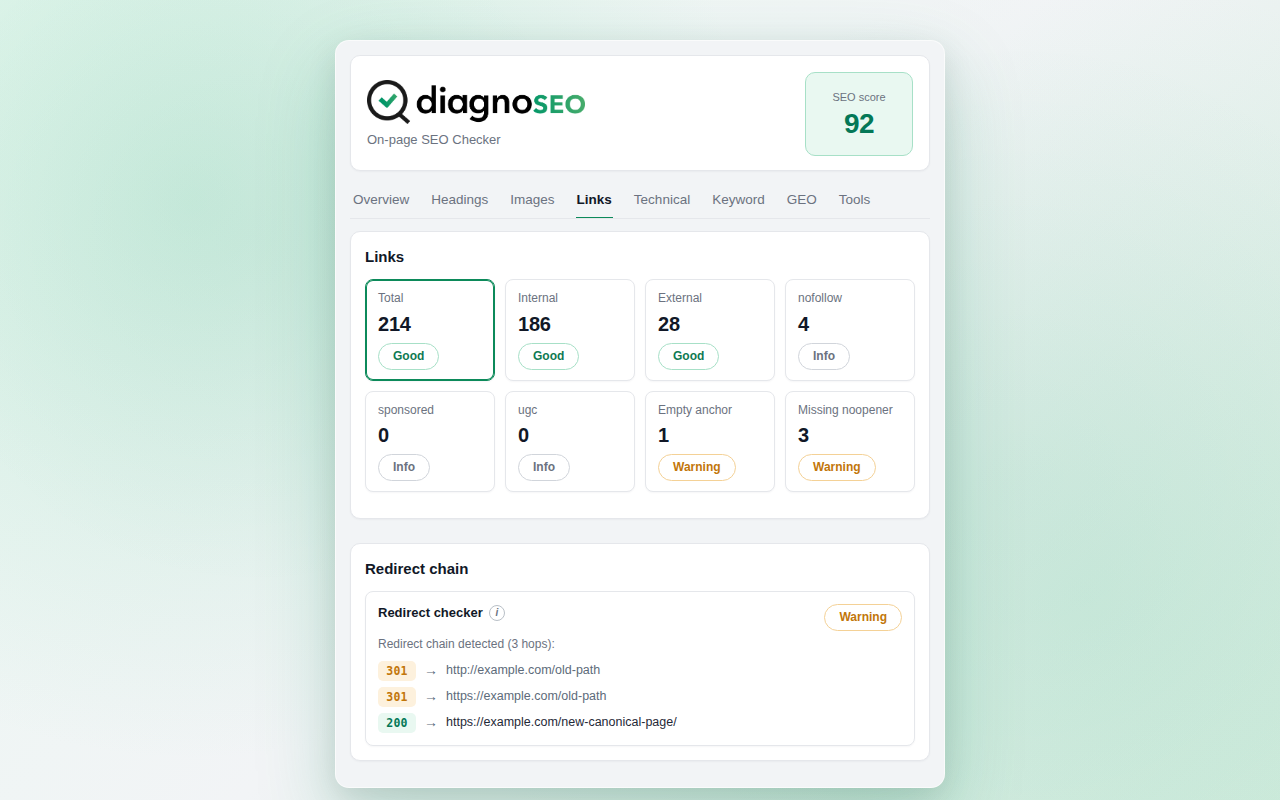
The DiagnoSEO SEO Extension for Chrome is a free Manifest V3 browser extension that delivers a complete on-page audit in one click. It surfaces every important SEO signal — title, meta description, canonical, headings, images, links, structured data, redirect chain — and adds three features that no other free SEO extension for Chrome offers in the same package: a quantified 0-100 SEO score, a dedicated GEO / AI Overviews readiness tab, and a built-in HTML source vs rendered DOM diff.
Why Chrome users specifically benefit
Chrome holds roughly two thirds of the global desktop browser market in 2026. Most SEO work happens in Chrome because most clients and most analytics views happen in Chrome. The DiagnoSEO extension was built Chrome-first to take advantage of features that Chrome implements particularly well:
- Manifest V3 native. The extension is fully MV3-compliant — no deprecated background pages, no removed permissions, no warnings on install. It will continue to work as Chrome enforces MV3-only listings.
- Active tab + scripting permissions only. No always-on host permissions for sites you are not actively viewing. Chrome's permission scopes are honored strictly.
- Service worker background. Lower idle memory than older event-page extensions, faster cold-start for the redirect-chain tracer.
- Compatible with Chromium browsers. The same ZIP installs on Edge, Brave, Opera, Vivaldi, and Arc — anywhere Chrome extensions run.
One-click audit with a quantified score
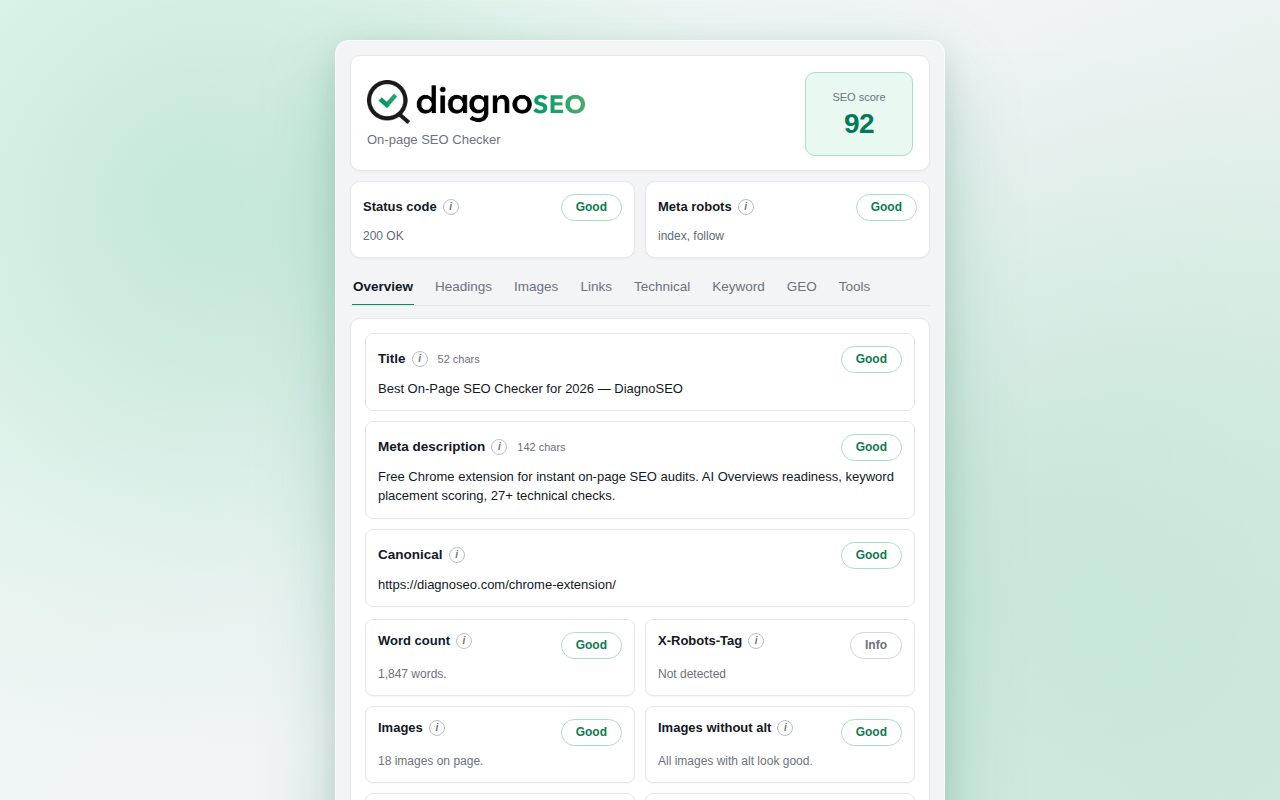
The Overview tab is the first thing you see when you click the DiagnoSEO icon in Chrome. It opens in under 500ms and presents the page's full on-page state in a single dense view: HTTP status code, X-Robots-Tag header, title and meta description with live character counts, canonical URL with resolution against the page's base URI, Open Graph and Twitter Card preview with broken-image detection, favicon detection with silent fallback for CDN-protected favicons, and a 0-100 score that collapses every signal into one number.
The score uses transparent deduction logic. A noindex meta deducts 30 points. An HTTP 4xx deducts 40. A missing title deducts 20. A missing meta description deducts 10. A missing H1 deducts 10. Every deduction is visible in the score breakdown — no black-box ranking, no proprietary "SEO factor 12345" mystery weight. The same score that a non-technical stakeholder sees is the score a developer can reason about.
Interactive heading tree built for Chrome rendering
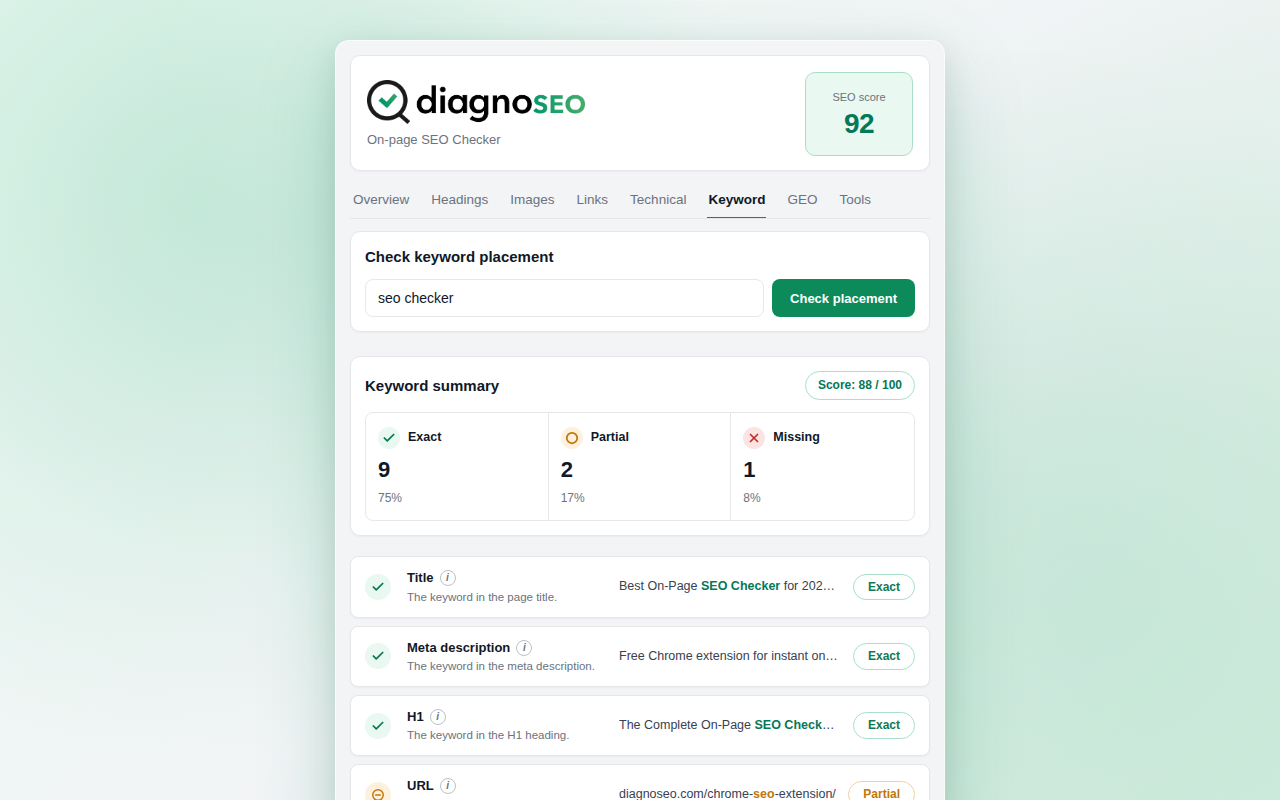
The Headings tab renders an interactive H1-H6 tree of the current Chrome page. Each heading has a level badge (H1 to H6, color-coded), dashed indentation connectors, and a collapsible chevron. Double-click any heading to highlight it on the live page — Chrome's scrollIntoView and :focus-visible APIs make this instant.
The tree flags structural issues that flat lists miss: missing H1, multiple H1s (still a warning in 2026 despite HTML5 outline), skipped levels (H2 followed directly by H4), and empty headings caused by JavaScript that swaps text after render. The headings sub-section also counts how many appear in each level — a quick sanity check before publishing long-form content.
Internal, external, and redirect chain analysis
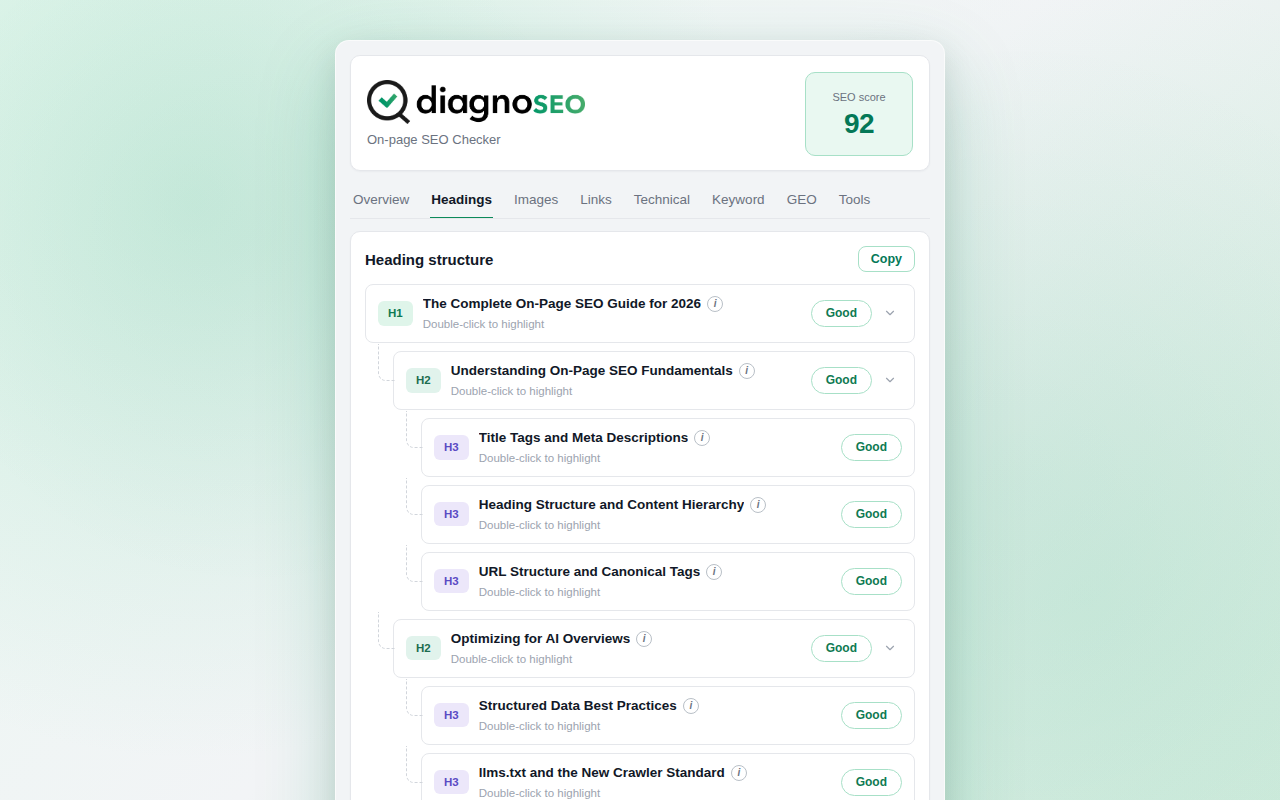
The Links tab presents a 4×3 grid of link statistics: total links, internal vs external split, nofollow / sponsored / ugc / dofollow breakdown, missing rel="noopener" on target="_blank" links (a real security and SEO concern), empty anchor text count, and duplicate URLs vs duplicate anchors. Each card is clickable — click "Duplicate URLs" and you get a filtered table of which URLs appear multiple times with different anchors, the most common cause of internal-anchor cannibalization.
The redirect chain visualizer captures every hop the current Chrome request went through via the webRequest API. Each hop is color-coded: 301 and 308 green (permanent, healthy), 302 / 303 / 307 yellow (temporary, often a misconfiguration), 4xx and 5xx red. Chains of 4+ hops escalate to a warning — the average crawler tolerates 3-5 hops before giving up, and every extra hop is a small ranking-signal loss.
The full link list and duplicate analysis exports as CSV — drop it into a spreadsheet, into Search Console URL Inspection, or into your favorite crawl tool for cross-referencing.
GEO / AI Overviews readiness — unique to DiagnoSEO
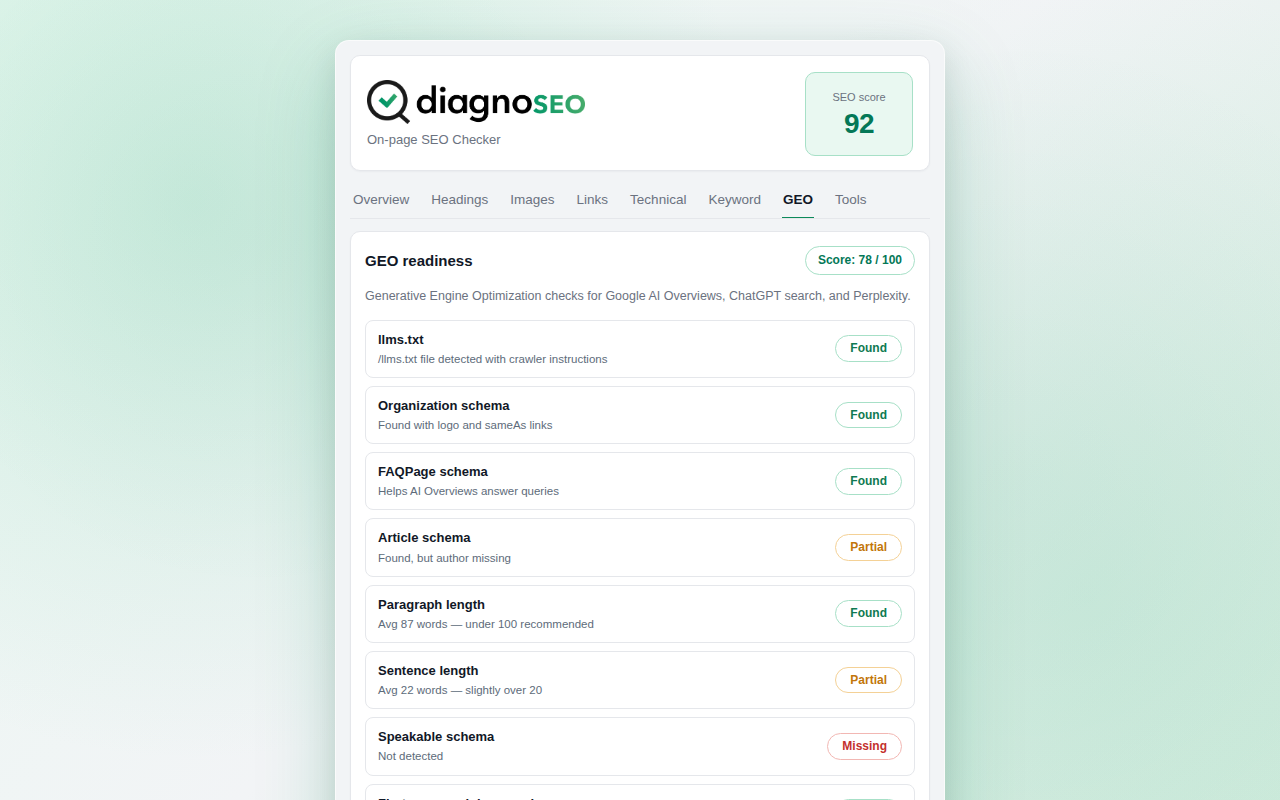
The GEO tab is what makes DiagnoSEO different from every other SEO extension on the Chrome Web Store. It checks the on-page signals that determine whether AI search engines — ChatGPT, Perplexity, Google AI Overviews, Copilot — will pick the page up as an authoritative source.
- llms.txt detection. The Chrome extension fetches
/llms.txtand/llms-full.txtfrom the current origin and reports whether they exist, their size, and their structure. This is the emerging "robots.txt for LLMs" standard. - Paragraph length analysis. Long paragraphs (>100 words) reduce LLM citation likelihood because language models chunk responses in 1-3-sentence units. The GEO tab counts paragraphs over the threshold and lists them.
- Sentence length analysis. Sentences over 20 words are harder for LLMs to extract as standalone citations. Each flagged sentence is listed with its word count.
- AI-friendly schema validation. FAQPage, Article, Organization, and speakable schema types are validated. Each has a "present + valid", "present + invalid", or "missing" verdict.
- First-paragraph number check. Pages where the first paragraph contains a number (a statistic, a year, a percentage) receive substantially more LLM citations than text-only intros. The check is a binary "yes / no" with examples.
Installation in Chrome
Until the extension is approved on the Chrome Web Store, install it directly from the ZIP file linked above:
- Download the ZIP and extract it to a folder you will keep (the extension loads from disk, so do not delete the folder).
- Open
chrome://extensionsin Chrome. - Toggle Developer mode on (top right).
- Click Load unpacked and select the extracted folder.
- The DiagnoSEO icon appears in the extensions menu. Pin it to the toolbar for one-click access.
The same ZIP installs unchanged on Edge, Brave, Opera, Vivaldi, and Arc. After Chrome Web Store approval, one-click install will be available from a CWS listing — this page will update with the direct CWS link.
Privacy on Chrome
The DiagnoSEO Chrome extension is 100% free, no account, no tracking. It reads HTTP headers from the page you are actively viewing (via Chrome's webRequest API), fetches one favicon URL for preview, makes two optional /llms.txt checks when the GEO tab is opened, and (when the Diff subtab is clicked) fetches the raw HTML of the current URL. All of these requests go exclusively to the site you are currently visiting. Nothing reaches a DiagnoSEO server. No analytics, no telemetry, no third-party scripts.
Detailed SEO Extension alternative · SEO META in 1 CLICK alternative · SEO Pro Extension alternative · SEO Minion alternative · SEOquake alternative · AITDK SEO Extension alternative
SEO Extension for Firefox