
Cron Job Monitoring
Find out the moment your scheduled tasks stop running. Backups, queue workers, ETL jobs, hourly syncs - all silently watched.
The problem with scheduled jobs
The cruel feature of cron jobs is that when they fail, nothing tells you. The web app keeps serving requests, the homepage looks fine, monitoring stays green - but somewhere on the server, the nightly backup hasn't run for two weeks. The queue worker died after a deploy and unprocessed jobs are piling up. The hourly sync is silently dropping rows because of a permissions issue. You only find out when something downstream finally fails - usually right when you need that thing most. The data team needs the export, support needs the email queue, ops needs the backup. Then it's too late.
Standard uptime monitoring can't catch this because there's nothing for it to ping. The cron job doesn't expose an HTTP endpoint, doesn't open a port, doesn't run a server. It runs, finishes, exits. If it stops running, there's no signal of its absence - until you go looking.
The inverse pattern: heartbeat monitoring
Heartbeat monitoring (also called "dead man's switch" or "cron job monitoring") flips the direction. Instead of us checking your service, your service checks in with us. You add a single line to the cron job - a curl to a unique URL we generate - and that URL records a timestamp every time it's hit. We then watch for the absence of those pings. If the heartbeat URL doesn't get hit within the expected interval (plus a grace period), we treat it as a missed run and send an alert.
The model is simple, robust and language-agnostic. Anything that can make an HTTP request can integrate - bash scripts via curl, Python via requests, Node via fetch, PHP via curl_init, scheduled tasks on Windows via Invoke-WebRequest, GitHub Actions, Kubernetes CronJobs, Lambda scheduled events, anything. No SDK, no agent, no daemon to install.
How to set it up
In DiagnoSEO Uptime Monitoring, click "Add monitor", choose type "Heartbeat / cron". The tool generates a unique inbound token URL for the monitor - something like https://app.diagnoseo.com/tools/uptime-monitoring/hb.php?t=abc123xyz9. Set the expected interval (how often the job is supposed to run, in minutes) and a grace period (how much late is acceptable before we panic). Save.
Now modify the cron job to ping the heartbeat URL after each successful run. Three styles depending on your environment:
# Bash cron - ping only after success
0 3 * * * /usr/bin/backup.sh && curl -fsS https://app.diagnoseo.com/tools/uptime-monitoring/hb.php?t=abc123xyz9 > /dev/null

# Or, for jobs where partial success is OK
0 3 * * * /usr/bin/backup.sh; curl -fsS https://app.diagnoseo.com/tools/uptime-monitoring/hb.php?t=abc123xyz9 > /dev/null

# Python
import requests
def main():
    do_the_work()
    requests.get('https://app.diagnoseo.com/tools/uptime-monitoring/hb.php?t=abc123xyz9', timeout=5)

# GitHub Actions
- name: Notify heartbeat
  if: success()
  run: curl -fsS https://app.diagnoseo.com/tools/uptime-monitoring/hb.php?t=abc123xyz9
From that point onward, every successful run pings us, and we record the timestamp. If we don't see a ping within interval + grace_period minutes, an incident is opened and you get notified through every enabled channel: Email, Telegram, Slack, Discord, SMS.
Choosing interval and grace period
The interval should match your job's schedule exactly. A nightly backup that runs at 3:00 AM has an interval of 1440 minutes (24 hours). An hourly sync has 60. A worker that polls every 5 minutes has 5.
The grace period absorbs natural jitter. Cron jobs don't run at a literal nanosecond on schedule - they're queued, they wait for prior runs to finish, they back off on transient failures. A 24-hour job with a 1-hour grace period gives you a comfortable buffer without delaying alerts too long. A 5-minute polling worker with a 2-minute grace catches genuine deaths quickly without false positives from a 30-second hiccup. As a rough guide, set the grace to 10-50% of the interval depending on how flaky the job tends to be.
Patterns we recommend
- Ping only on success. Use
&&in bash so failed runs don't ping. We'll detect the missing ping and alert. - Ping after each iteration of a loop. For long-running workers, ping inside the loop after each successful unit of work, not at the end. That way a hung worker is detected even mid-run.
- Use one heartbeat per logical job, not one per script. If three scripts together represent one nightly pipeline, ping once at the end of the chain. That gives you a clean "is the pipeline alive" signal.
- Combine with logging. The heartbeat tells you the job ran. Your application logs tell you what it did. The combination is the full picture.
What happens when a heartbeat is missing
An incident is opened the moment we miss the deadline. The dashboard shows the monitor in red with the error "No heartbeat received for X minutes". Notifications fire on every channel you've enabled. Once a fresh heartbeat arrives, the monitor automatically recovers - it's marked up, the incident is closed, and (if you have recovery alerts enabled) you get a "back online" notification.
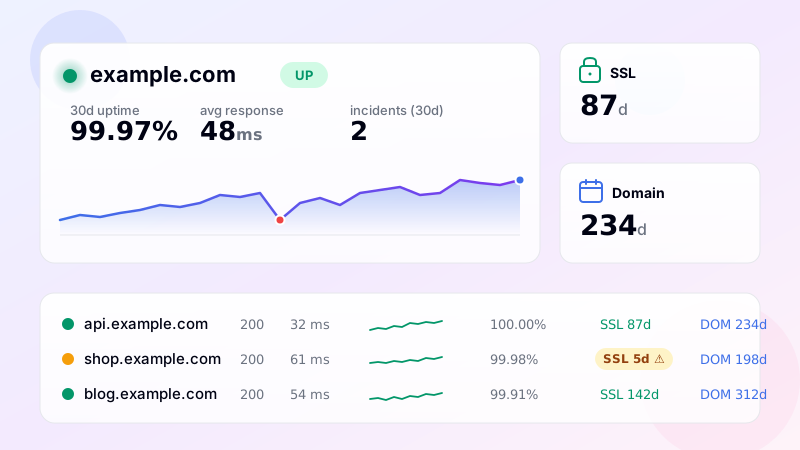
All of this gets the same treatment as your other monitors - heatmap, uptime percentage, history retention, tags, search, export. From the dashboard's perspective, a heartbeat monitor is just another row, sortable and filterable alongside HTTP, ping, port and API checks.
Setup checklist
Add monitor → choose Heartbeat type → copy the generated URL → add it to your cron / worker / scheduler → set the interval and grace period → save → done. Now you'll know the moment any scheduled job stops running, which - long-term - is one of the highest-leverage monitoring decisions you can make.
Frequently asked questions
-
Reverse monitoring — your scheduled job pings our URL when it runs successfully. If we don't hear from it within the expected window, we alert you. Solves the silent-failure problem: a broken cron job produces no error and triggers no traditional uptime alert.
-
Add a
curl -fsS <heartbeat_url>at the end of your cron command. If the command before it fails, curl won't fire and the heartbeat is missed. Alternatively, ping at the start AND end with different paths — gives you "started" and "completed" signals separately. -
About 2-3x the job's typical runtime. If your daily backup takes 30 minutes, set grace to 90 minutes — accommodates slowdowns without false alerts. For jobs with variable runtime, set generously and use the dashboard to identify outliers.
-
Yes — set the interval to match (e.g. 60 minutes expected with 15-minute grace). The monitor expects a ping at least every 75 minutes. If your job is more frequent (every 5 minutes), the heartbeat URL handles that too — just match the interval setting.
-
Yes. Add an outbound HTTP call to the heartbeat URL at the end of your Lambda function. The monitor treats it identically to a cron heartbeat — same alerting, same grace period. Useful for scheduled Lambdas where CloudWatch alarms aren't catching silent execution failures.
UptimeRobot · Pingdom · BetterStack · Oh Dear · Site24x7 · StatusCake · Sentry · Uptrends · Cronitor · New Relic
SSL monitoring · Domain expiry · DNS monitoring · Ping (ICMP) · Port (TCP) · Endpoint · Keyword · API · Response time · Backlink · Location-specific · Website monitoring