
DNS Monitoring
DNS records that change without your knowledge are either a misconfiguration or a hijack. Both are bad. Watch them.
DNS is the foundation - and the easiest thing to break
DNS sits below everything else: every web request, every email, every API call starts with a DNS lookup. Which makes silently changing DNS records one of the highest-leverage attacks - and one of the easiest mistakes a careless team member can make. A DNS change can redirect your domain to a phishing copy of your site, route email through an attacker's mail server, drop you out of search results entirely, or break the whole stack with a typo. Most of the time DNS damage isn't even malicious; it's a routine ops change someone made without telling anyone, that broke a downstream service.
DNS monitoring spots these changes by taking a snapshot of your records on every check and comparing them to the previous one. If anything tracked has been added or removed since last time, you get an alert. Whether it's a planned change you forgot to communicate, a misconfiguration, or an actual hijack, you'll know within hours.
What records get monitored
For each HTTP-type monitor, the deep daily check pulls these record types:
- A and AAAA: IPv4 and IPv6 addresses your hostname resolves to. Change here means traffic is going somewhere new - either intentionally or because someone hijacked your registrar.
- MX: mail exchangers. A new MX record (or worse, a missing one) means email started routing differently. Quietly losing email is one of the worst-case business outcomes.
- NS: nameservers. Change here means somebody moved your DNS zone to a different provider - the most powerful change anyone can make to a domain. NS changes are almost always either a planned migration or a successful registrar attack.
- TXT: arbitrary text records, often used for domain verification (Google, Microsoft, Stripe, etc.) and for SPF/DKIM/DMARC.
- SPF, DMARC, CAA: dedicated email and certificate-issuance security records. Change in CAA, in particular, can let an attacker get a TLS cert for your domain.
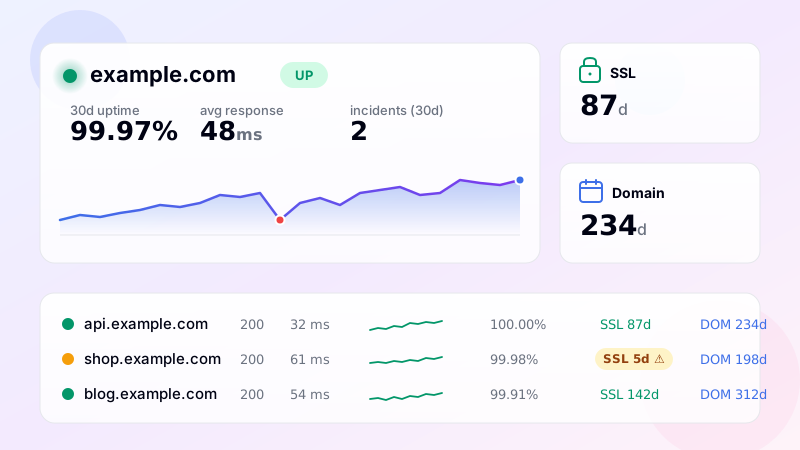
The dashboard shows all current records in the expanded view of each monitor, so you can see at a glance what's currently published.
Change detection
The monitor maintains a snapshot of A, AAAA, MX and NS records per monitor. On every deep check, the current records are compared to the snapshot. Records that disappeared count as "removed", new records as "added". Both lists go into the change report.
If any tracked record set has changed, an alert fires through your enabled channels. The notification names which record type changed and lists exactly what was added and what was removed. So instead of "DNS changed for example.com", you get "MX records for example.com: removed mail.oldhost.com, added mail-1.attacker.com" - which makes the situation immediately legible.
You can disable DNS-change alerts independently from other alerts, in case you're going through a planned migration that would generate a lot of noise. Toggle it off, do the migration, toggle it back on once stable.
Why this catches things other tools miss
Most uptime tools treat DNS as plumbing - they use it to resolve the URL, then forget about it. But the moment a competitor (or attacker, or Friday-deploy gremlin) changes your DNS, that resolution starts pointing at a different IP, and an HTTP-only monitor still reports green because the new IP also returns 200. Without DNS-level monitoring, the change is invisible until somebody manually checks. By then, days of mail might be missing or weeks of search rankings might have leaked.
DNS monitoring also catches problems with your DNS provider itself. Some providers occasionally drop or reorder records during zone updates; some have regional outages where queries from one location return different results than another. Snapshot comparison surfaces these instabilities.
Setup
DNS monitoring is automatic for every HTTP/keyword/API monitor. The first deep check (within 24 hours of adding the monitor) records a baseline snapshot - no alert is fired the first time, only when subsequent checks differ. To enable or disable DNS change alerts, toggle "DNS change alerts" in the Preferences section of Notifications. The expanded view of any monitor always shows the current full DNS state, including SPF, DMARC and CAA records that aren't tracked for change detection but are useful for periodic review.
Frequently asked questions
-
A, AAAA, MX, NS, TXT, and CNAME records are tracked by default. The monitor snapshots the resolved values on each check and alerts when any of them change — added, removed, or modified.
-
Reliability isn't the concern — change is. DNS hijacks, accidental updates during migrations, third-party CDNs rotating IPs, and registrar account compromises all manifest as record changes. DNS monitoring catches these within minutes rather than days.
-
Resolutions are done against authoritative nameservers (not your local resolver) so TTL caching doesn't hide changes. Each check makes a fresh authoritative query — if the record at the source changed, the monitor sees it on the next check.
-
Yes. The monitor records the DNSSEC status (signed / unsigned) per check and alerts on changes. A domain that was DNSSEC-signed yesterday but now reports unsigned is a security event worth investigating immediately.
-
If your A record returns multiple IPs that rotate, the monitor sees a "change" on every check. To suppress this, configure expected-values to include all possible IPs, or disable A-record monitoring on that domain and rely on the HTTP check alone for availability.
UptimeRobot · Pingdom · BetterStack · Oh Dear · Site24x7 · StatusCake · Sentry · Uptrends · Cronitor · New Relic
SSL monitoring · Domain expiry · Ping (ICMP) · Port (TCP) · Endpoint · Keyword · API · Cron / Heartbeat · Response time · Backlink · Location-specific · Website monitoring